Claude Code had deleted almost 9 in 10 of my session transcripts. When I counted on 27 September, 820 of my 920 sessions had no transcript left in ~/.claude. Claude's replies, the commands it ran, the files it read: gone! All Claude Code kept of them is the prompts I typed.
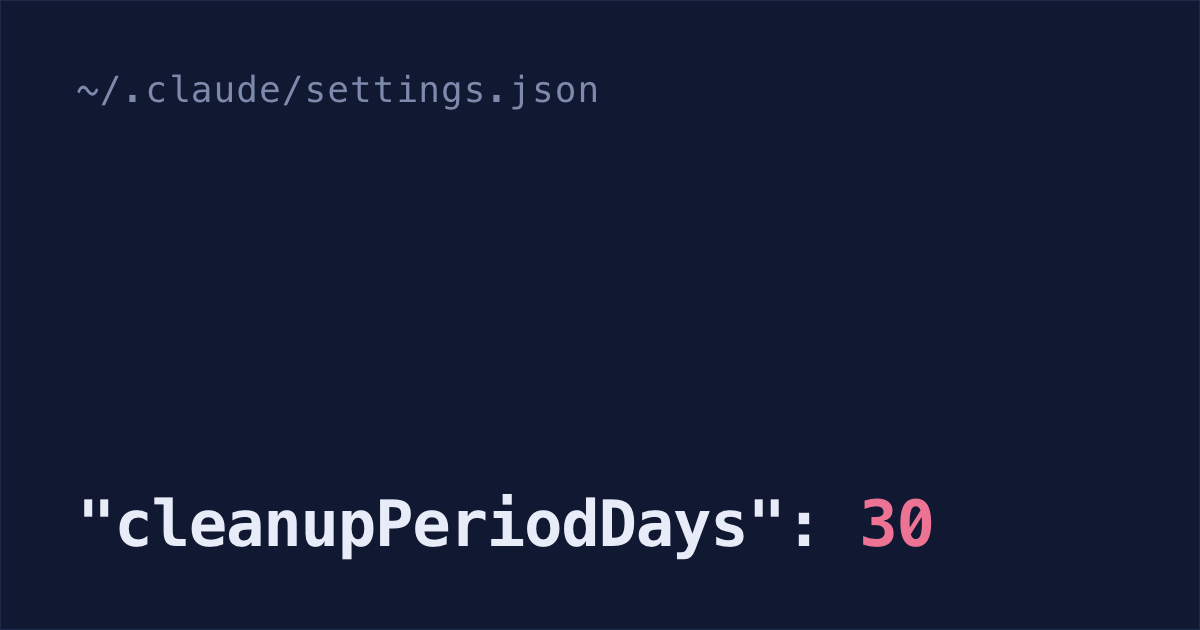
Claude Code does this on purpose. The setting is cleanupPeriodDays, and it's 30 unless you change it. In the background, at most once per session, Claude Code deletes the transcripts older than that, so claude --resume can't find a terminal session from over a month ago.
If yours vanished from the Claude desktop app's sidebar or VS Code's list instead, the file is probably still on your disk: sidebar empty, transcripts still on disk.
Set cleanupPeriodDays to 3650
3650 days is about ten years. You can't pick "never": the minimum is 1, and 0 fails with a validation error (what gets cleaned up). The person who filed issue #64999 found that out after losing two sessions, 44 and 52 days old.
Paste this into Terminal. It adds the setting to ~/.claude/settings.json and keeps everything already in the file, or creates the file if you don't have one:
f=~/.claude/settings.json
[ -f "$f" ] || echo '{}' > "$f"
jq '.cleanupPeriodDays = 3650' "$f" > "$f.tmp" && mv "$f.tmp" "$f"
jq .cleanupPeriodDays "$f"
The last line should print 3650. If you see a parse error instead, the file already had a typo in it, and the command left it untouched. It needs jq, which comes with macOS 15 and later. On Linux, install it first.
You can also have Claude Code make this change, with the prompt at the end of this post. One catch: the cleanup runs in the background once per session (retention sweep), so it can delete sessions before Claude has saved the change. The Terminal command above doesn't start a session, which is why it's the safer one.
If you'd rather not edit the file at all, a free plugin counts what you've already lost and raises the limit for you. Install it in Claude Code and type /shabash:keep: it changes nothing unless you say yes (the other commands).
claude plugin marketplace add shabash-dev/shabash-plugins
claude plugin install shabash@shabash
What this doesn't cover:
- Sessions already deleted. A backup is the only way back, below.
- A work laptop where your company sets
cleanupPeriodDaysin the settings it controls. Its value beats yours, so use theSessionEndhook below instead. - Secrets in old sessions. Transcripts are plain text, and anything Claude reads goes into them, like the values in a
.envfile it opened. Keep transcripts ten years and you keep those values ten years (plaintext storage). - Disk space. Transcripts grow with everything Claude reads and runs. The biggest one on my Mac is almost 150 MB.
While you have that file open: if Claude's todo list went blank after an update, it needs a second line in there. Claude Code's todo list stops showing up on Opus 4.8 and newer, and one env setting brings it back.
Files deleted after 30 days
All of this lives under ~/.claude, and goes once it's older than the limit:
projects/<project>/<session-id>.jsonl: the whole conversation, with every message, every command and what it printedprojects/<project>/<session-id>/: that session's subagent conversations and large tool outputsfile-history/<session-id>/: copies of files from before Claude edited them, which is what lets you rewind its edits
Plans, debug logs, big pastes and about a dozen more working folders go too (full list).
Prompts, memory and desktop sessions survive
The cleanup never touches ~/.claude/history.jsonl. It holds every prompt you've typed, with the time, the project and the session ID. It's what the up arrow and Ctrl+R search use. The one exception is a company running Claude Code under its HIPAA setup: there, each sweep trims old prompts from that file too.
So you can still find what you asked. This prints the date, the project's folder in ~/.claude/projects, the session ID and the start of each matching prompt:
grep -i "stripe webhook" ~/.claude/history.jsonl | jq -r '(.timestamp/1000 | strflocaltime("%Y-%m-%d")) + " " + (.project | gsub("[^A-Za-z0-9]"; "-")) + " " + .sessionId + " " + .display[0:60]'The memory files Claude writes for each project stay too, in projects/<project>/memory/.
Sessions you started or last continued in the Claude desktop app or Cowork are kept at any age, on Claude Code 2.1.248 or later. Three things undo that: your own desktopSessionCleanupPeriodDays setting, a cleanupPeriodDays your company sets in the settings it controls, or that HIPAA setup.
Sidebar empty, transcripts still on disk
A session missing from a list hasn't always been deleted. The Claude desktop app and the VS Code extension each keep their own list, separate from the files, and both have bug reports about a list that empties while the transcripts stay where they were.
So count the files before you go looking for a backup:
ls ~/.claude/projects/*/*.jsonl | wc -lTo check one session, find its ID with the history.jsonl command above, then look for the file:
ls ~/.claude/projects/*/<session-id>.jsonlIf the file is there, the conversation is intact and it's the list that's wrong. claude --resume in the project folder reads the files themselves, so it's the one to trust.
In the desktop app, someone reported a sidebar showing only the current session after a restart, while "the .jsonl files are all present in ~/.claude/projects/". It was closed as a duplicate of an earlier report. The app also lists only the sessions you started in it: type /resume there to reach the ones you started in the terminal (more on that).
In VS Code, sessions under Local → Session History don't always survive a restart of the editor, reported on extension 2.1.121 and still open. The extension also archives a chat by itself after 14 days with no activity, which looks the same from the sidebar; search VS Code's settings for "Archive Inactive Sessions" and pick Never to stop it. Claude Code chats in VS Code covers both.
Recover a deleted session from Time Machine
Claude Code has no trash for transcripts, but Time Machine backs up ~/.claude unless you excluded it. On my Mac, tmutil isexcluded ~/.claude/projects prints [Included]. If you had backups running before the cleanup deleted the session, it's probably still in one, unless Time Machine has already deleted its oldest backups to make room.
Set
cleanupPeriodDaysto 3650 first. With the default of 30, the next cleanup can delete the file you restore, for the same reason it did the first time:f=~/.claude/settings.json [ -f "$f" ] || echo '{}' > "$f" jq '.cleanupPeriodDays = 3650' "$f" > "$f.tmp" && mv "$f.tmp" "$f"Find the session. Replace
your wordswith a few words from a prompt you typed in that session:grep -i "your words" ~/.claude/history.jsonl | jq -r '(.timestamp/1000 | strflocaltime("%Y-%m-%d")) + " " + (.project | gsub("[^A-Za-z0-9]"; "-")) + " " + .sessionId + " " + .display[0:60]'It prints the project's folder name, like
-Users-you-my-app, and the session ID. The transcript is named<session-id>.jsonl.- In Finder, press
Cmd+Shift+G, go to~/.claude/projectsand open the project's folder. If the folder isn't there, restore the whole folder instead. - Open the Time Machine app, go back to a date when the file or folder was there, select it and click Restore.
Open it again by ID:
claude --resume <session-id>
Copy sessions out with a SessionEnd hook
On a work laptop where your company sets cleanupPeriodDays, the setting above does nothing, because theirs wins. A hook, a command Claude Code runs by itself, can still keep a copy: it copies each session out of ~/.claude when the session ends. It won't run if your company also turns your hooks off in managed settings, with allowManagedHooksOnly or disableAllHooks (settings reference).
This one runs every time a session ends, and copies that session's transcript and its subagent folder to ~/claude-sessions. These are the two keys to merge into ~/.claude/settings.json, keeping whatever else is in there, and the prompt at the end of this post merges them for you:
Keep the timeout. Claude Code gives all SessionEnd hooks a shared 1.5 seconds, and a timeout on the hook raises that, up to 60 seconds (hooks reference). My biggest transcript copies in well under half a second, so it's a safety margin for a slow or external disk.
The hook only copies sessions that end after you add it. The ones already on disk are the ones your company's cleanup deletes first, so copy them once now:
mkdir -p ~/claude-sessions
for t in ~/.claude/projects/*/*.jsonl; do
  cp "$t" ~/claude-sessions/
  if [ -d "${t%.jsonl}" ]; then cp -R "${t%.jsonl}" ~/claude-sessions/; fi
done
The hook doesn't copy the undo copies in file-history, so you can't rewind Claude's edits from an old session. And the session you're in has no copy until you exit, run /clear or switch sessions.
To open a copied session, pass the full path:
claude --resume ~/claude-sessions/<session-id>.jsonlOne prompt for the setting and the backup hook
Merging that hook into your settings by hand is fiddly. Paste this into Claude Code and it does all of it. It shows you the diff first, so you can check it didn't drop anything:
Keep my Claude Code sessions for years. Edit ~/.claude/settings.json, keeping everything already in it, and show me the diff before you save:
1. Set "cleanupPeriodDays" to 3650.
2. Add a SessionEnd hook with "timeout": 30 that runs this command:
mkdir -p ~/claude-sessions && t="$(jq -r .transcript_path)" && cp "$t" ~/claude-sessions/ && if [ -d "${t%.jsonl}" ]; then cp -R "${t%.jsonl}" ~/claude-sessions/; fi
3. After saving, copy every .jsonl transcript already in ~/.claude/projects/*/ into ~/claude-sessions, with its folder of the same name if it has one.
Then check the settings file is still valid JSON with jq, and tell me if jq isn't installed.Shabash, the Mac app I'm building, keeps its own copy of the sessions you typed in, so the cleanup can't take them. It can't bring back one deleted before you installed it. To try it, book a 30-minute call.