Starting Gemini CLI in an old project deletes that folder's sessions you haven't touched in 30 days, including the one you opened it to find. The plans, task lists and tool output go with them (session management docs).
The deleting happens at startup, in sessionCleanup.ts, and has since v0.20.0, the release that added sessions. The docs don't say so. A project you haven't opened in two months still has all its old sessions on disk, right up until you run gemini there again. Wild!
Turn off session cleanup in settings.json
Do this before you start Gemini CLI in an old project. Paste it into a terminal:
node -e '
const fs = require("fs"), path = require("path");
const f = path.join(require("os").homedir(), ".gemini", "settings.json");
const s = fs.existsSync(f) ? JSON.parse(fs.readFileSync(f, "utf8")) : {};
s.general = { ...s.general, sessionRetention: { ...s.general?.sessionRetention, enabled: false } };
fs.mkdirSync(path.dirname(f), { recursive: true });
fs.writeFileSync(f, JSON.stringify(s, null, 2) + "\n");
console.log(fs.readFileSync(f, "utf8"));
'
It adds the setting to ~/.gemini/settings.json, keeps everything already there, and prints the file so you can see the change. If you installed Gemini CLI with npm or Homebrew, you already have Node.
If your settings file has comments in it, the command stops with an error and changes nothing. Add this inside the file's "general" section by hand instead:
Either way, nothing gets deleted for being old any more, unless a .gemini/settings.json in the project turns it back on (settings reference).
If you'd rather keep a limit, leave enabled on and raise maxAge, like "maxAge": "12m". It takes hours, days, weeks or months (24h, 7d, 4w, 12m), and the code counts a month as 30 days.
There's a second limit next to it, maxCount, which keeps only that many sessions per project and deletes the oldest. It's off unless you set it, and the "enabled": false above switches off both (session management docs).
The setting can't bring back sessions that are already gone. Gemini CLI deletes the files outright, so they don't go to the Trash either. One place to look anyway is the old naming, below. The cleanup never looks inside those folders, so copies from before the rename are still on disk:
ls ~/.gemini/tmp/Any folder there with a long hex name, and a chats/ folder inside it, is one of them.
A .gemini/settings.json committed in the repo beats the one in your home folder, so a teammate's file can switch cleanup back on. It only counts once you've trusted the folder, which Gemini CLI asks about the first time you open it there.
Resume the latest session, or pick one
Run these from the project folder you worked in:
gemini --resume            # the latest session (short: -r)
gemini --list-sessions     # this folder's sessions, numbered
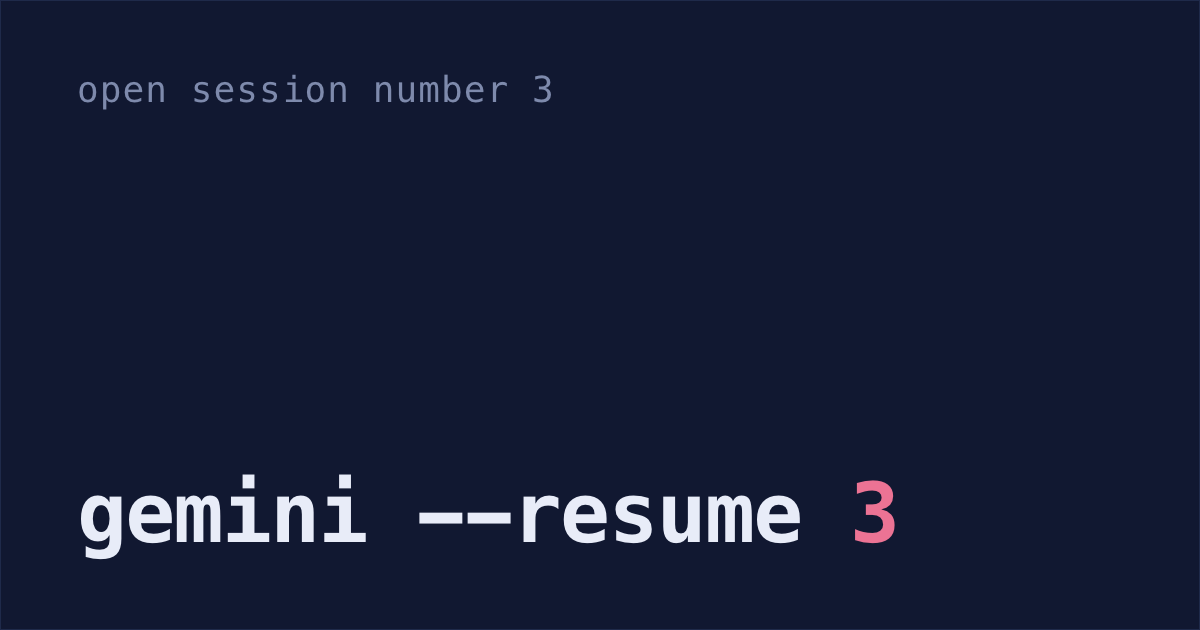
gemini --resume 3          # number 3 from that list, counting from the oldest
gemini --resume <uuid>     # one session by its full ID
The list runs oldest first, so the highest number is the newest session, not number 1. Sessions belong to the folder you started them in: run gemini --resume from a different folder and you get that folder's sessions, or none.
None of these flags exist before Gemini CLI v0.20.0, the release that added session management (Google's announcement, 10 December 2025). Run gemini --version to see yours, and update if it's older.
Inside a running session, /resume opens a numbered list of past sessions with how long ago each one ran. Press / to search, Enter to open one, x to delete one and Esc to close the list.
Session files in ~/.gemini/tmp
Gemini CLI saves every session as you go, one .jsonl file each, with nothing to turn on:
~/.gemini/tmp/<project>/chats/<project> is a lowercase, dashed version of your folder's name. Work in ~/code/My App and your sessions are in ~/.gemini/tmp/my-app/chats/. Run Gemini CLI in its macOS sandbox and it writes to ~/.cache/.gemini/tmp/ instead. A second project with the same folder name gets my-app-1, and ~/.gemini/projects.json records which folder is which.
The docs still call this folder <project_hash>. That's the old naming, a long hash of the path. The next time Gemini CLI starts in that project, it copies the old folder to the new name, if the new one is still empty, and leaves the old one where it was. The cleanup only goes through the new folder, so sessions in an old hash folder stay on disk.
/chat save and /chat share
If one chat really matters, save it by name or export it:
/chat save auth-refactor
/chat share auth-refactor.md
/chat save writes a copy to ~/.gemini/tmp/<project>/checkpoint-auth-refactor.json. That's outside the chats/ folder the cleanup goes through, so it's still there after 30 days. Open it again with /chat resume auth-refactor from the same project, and /chat list shows every name you've saved.
/chat share writes the chat to a file in the folder you're in. End the name in .md for Markdown or .json for JSON, since any other ending fails. With no name at all, you get gemini-conversation-<timestamp>.json. That file is yours, whatever the cleanup settings say.
Every /chat command also works as /resume, like /resume save auth-refactor (commands reference).
Undo edits with /rewind or /restore
Both undo things in the session you're in, which is handy when Gemini CLI just broke a file.
To step back through the chat you're in, run /rewind, or press Esc twice with nothing typed in the prompt. You pick a point and choose whether to undo the chat, the file changes, or both.
/restore needs checkpointing, which is off by default. Add "checkpointing": { "enabled": true } inside the "general" section of ~/.gemini/settings.json, the same place as the setting above, and Gemini CLI saves your files and the chat before each tool edits anything (checkpointing docs). The restore points get wiped every time Gemini CLI starts, though, so /restore only reaches back to the start of the current run.
Claude Code deletes after 30 days too
If you also use Claude Code, it has its own 30-day cleanup and its own setting: how to keep Claude Code sessions. Codex CLI keeps sessions until you delete them: how to resume a Codex session. Shabash, the Mac app I'm building, keeps its own copy of the Claude Code sessions you typed in, so that cleanup can't take them. It doesn't read Gemini CLI sessions, so if Gemini CLI is all you run, the setting at the top of this post is your answer.