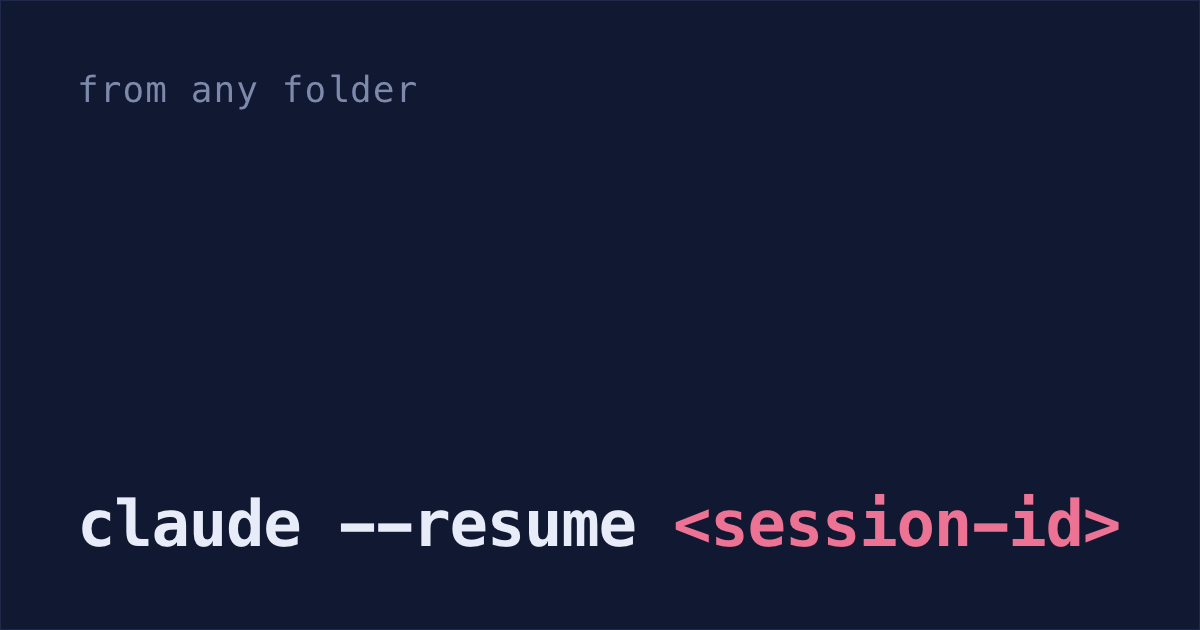
You can reopen a Claude Code session from any folder now, as long as you have its ID. Until v2.1.223, claude --resume <session-id> only looked in the project you were in and its git worktrees, so you had to cd into the project first (sessions docs).
But by default, Claude Code deletes terminal conversations older than 30 days. When I counted on September 27, 820 of my 920 sessions since January were already gone. That's wild! One line in ~/.claude/settings.json stops the cleanup, but it only saves the sessions you still have.
Every command that reopens a session
| Command | What it does |
|---|---|
claude --continue | Reopens the most recent conversation in this folder |
claude --resume | Opens a list of past sessions to pick from |
claude --resume auth-refactor | Reopens the session with that name |
claude --resume <session-id> | Reopens that session, from any folder |
claude --resume /full/path/to/<session-id>.jsonl | Reopens the conversation saved in that file |
claude --from-pr 123 | Finds the sessions linked to pull request 123 |
/resume | Switches to another conversation from inside a session |
Sessions a script started, with claude -p or the Agent SDK, don't show in the list, and --continue skips them. Reopen those with claude --resume <session-id>. Sessions whose first prompt was /loop are hidden from both too.
Resume from a different folder
Run the list from wherever you are:
claude --resume- Press
Ctrl+Ato show sessions from every project on your machine, then type a word from the session's title or first prompt to search. - Press
Enter. If the session belongs to another project, Claude Code copies acdand resume command to your clipboard. Paste it and pressEnteragain. If that project's folder no longer exists, Claude Code resumes the session in your current folder instead.
If you already have the ID, skip the list. claude --resume <session-id> checks this project and its git worktrees first, then every other project. The ID is the file name of the saved conversation, ~/.claude/projects/<project>/<session-id>.jsonl.
Name a session with -n or /rename
A name gets you back without the list. Set it when you start with claude -n auth-refactor, or inside the session with /rename auth-refactor. After that, claude --resume auth-refactor goes straight to it.
Names only work inside the same repository and its worktrees. From another project, use the ID or Ctrl+A. If two sessions share a name, the list opens with the name already typed into the search.
Sessions you never name get a title written from your first prompt, and that title works with --resume too. It's just harder to remember.
Session list shortcuts
- Type anything to search.
Spaceshows what's in a session before you open it.Ctrl+Rrenames the highlighted session.Ctrl+Bshows only sessions from your current git branch.Ctrl+Wshows sessions from every worktree of this repository, if it has more than one.- Paste a GitHub, GitLab or Bitbucket pull request link to find the session that created it.
This picker is the main Claude Code session manager, and claude agents is the other one. Both are built in, so there's nothing to install before you try them.
"No conversation found with session ID"
Often the 30-day cleanup got there first. Claude Code deleted ~/.claude/projects/<project>/<session-id>.jsonl (what gets cleaned up). There's no undo: unless a backup has a copy, it's gone. Sessions started or last continued in Claude Desktop or Cowork are the exception: since v2.1.248 they're kept at any age.
Your prompts survive. ~/.claude/history.jsonl keeps every prompt you typed in the terminal, and the 30-day cleanup never touches it:
grep -i "stripe webhook" ~/.claude/history.jsonlOn my Mac, every line there also has the project folder and the session ID, so you can at least see where you were working. You can't resume from it, though, because it has none of Claude's replies. If you saved a copy of the transcript somewhere, pass its full path: claude --resume /full/path/to/<session-id>.jsonl.
Pass --add-dir and other launch flags again
Resuming brings back the whole conversation, including every command Claude ran and what it returned, usually on the same model.
Some flags you passed at launch don't come back, including --add-dir, --mcp-config, --settings, --plugin-dir and --fallback-model. Pass them again. Folders you added mid-session with /add-dir and commands you left running in the background are gone too. Anything in your settings.json files is read again by itself (what a resumed session restores).
"Resume from summary" on big sessions
On a Pro or Max plan, a session over 100,000 tokens that you left for more than about an hour asks how to resume. "Resume from summary" makes every later message cheaper, but whatever the summary leaves out, Claude no longer knows. Pick "Resume full session as-is" when you're halfway through something detailed, like a refactor.
Fork with /branch or --fork-session
To try a different approach and keep the first one, run /branch inside the session. It copies the conversation so far into a new session and switches you into it. From the shell, claude --continue --fork-session does the same, and the original stays in the list.
Don't open the same session in two terminals without forking. Both write into one conversation, and the messages get mixed together.
Keep sessions for ten years with cleanupPeriodDays
Stop the cleanup today. Add this line inside the braces of ~/.claude/settings.json, or paste "add cleanupPeriodDays 3650 to my ~/.claude/settings.json" into Claude Code:
That keeps conversations for about ten years (settings reference). It can't bring back ones already deleted. Why Claude Code sessions disappear has the details.
That cleanup is also why Shabash, the Mac app I'm building, keeps its own copy of the sessions you typed in, starting with the ones still on your Mac when you install it. Reopening one from Shabash brings it back, as long as its project folder is still there.