My Mac has over 7 GB of Claude Code conversations sitting in one folder, in plain text. Every one of them changed in the last 30 days.
That's over 9,000 files, but only about 125 are sessions I started myself in the terminal. The rest come from scripts that call claude -p. Anything older is gone, because Claude Code deletes conversations after 30 days.
The prompts I typed are in a different file that the cleanup never touches. So for most old sessions I still have my questions, but none of Claude's answers.
My count of 920 sessions runs to September 25. Two days later, only 100 of those 920 still had a transcript. The other 25 or so of the 125 on disk are sessions I started after September 25.
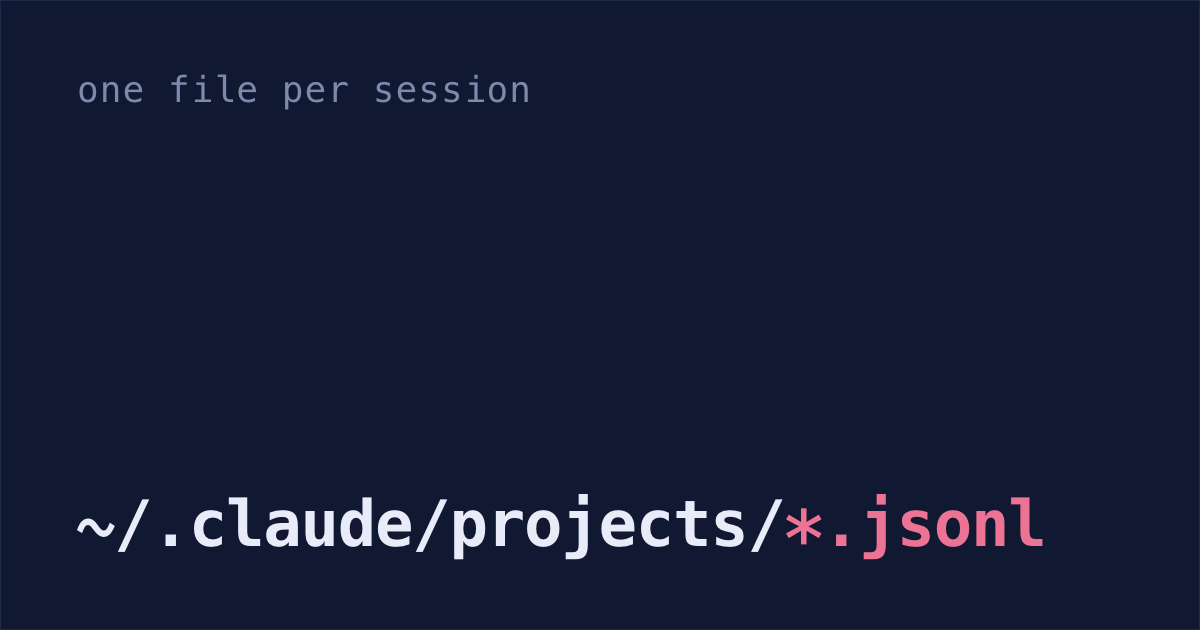
Conversations live in ~/.claude/projects
~/.claude/projects/<project>/<session-id>.jsonl<project> is the folder you started claude in, with every character that isn't a letter or digit turned into -. So /Users/sam/code/checkout becomes -Users-sam-code-checkout.
Each line of the file is one JSON object: your message, Claude's reply, a command Claude ran and what it printed, or a bit of metadata like the session's title. When Claude hands a side task to a helper (a subagent), the helper's conversation goes in a <session-id>/subagents/ folder next to the file.
history.jsonl keeps every prompt you typed
~/.claude/history.jsonlOne line per prompt, with a timestamp, the project path and the session ID. The up arrow and Ctrl+R search through this file. The session ID means you can go from an old prompt straight back with claude --resume <session-id>, as long as the conversation file still exists.
The 30-day cleanup doesn't touch it. Mine goes back to January, and it's the longest record I have of what I worked on in Claude Code.
30-day cleanup deletes transcripts, keeps your prompts
Claude Code runs the cleanup in the background after a session starts. These are the paths most people care about, all under ~/.claude (the full list):
| Path | What's in it | After 30 days |
|---|---|---|
projects/<project>/<session-id>.jsonl | The whole conversation | Deleted |
projects/<project>/<session-id>/subagents/ | Subagent conversations | Deleted |
file-history/<session-id>/ | Copies of files from before Claude edited them, used by rewind | Deleted |
plans/ | Plans from plan mode | Deleted |
paste-cache/ | Long text you pasted in | Deleted |
history.jsonl | Every prompt you typed | Kept |
projects/<project>/memory/ | Claude's notes about that project (auto memory) | Kept |
On my Mac, age counts from the last time the file changed: sessions I started more than 30 days ago but came back to are still there. Sessions you started or last continued in the Claude Desktop app or Cowork are kept at any age, from Claude Code 2.1.248 on. The exceptions: you set desktopSessionCleanupPeriodDays, or your company's managed settings set cleanupPeriodDays.
Keep sessions longer with cleanupPeriodDays
It's one line in ~/.claude/settings.json, next to whatever is already there:
That's ten years. Claude Code rejects 0, so a big number is how you say "keep them". It won't bring back sessions that are already gone; why Claude Code sessions disappear covers getting those back from a backup.
Shabash, the Mac app I'm building, keeps its own copy of the sessions you typed in, and reopening one from Shabash brings it back after Claude Code deletes it, as long as its project folder is still there. Sessions deleted before you installed it stay gone.
API keys end up in transcripts
The files aren't encrypted. Anthropic's docs say it plainly: if Claude reads a .env file, or a command prints a credential, that value is written into the transcript. Only your Mac's file permissions protect it. If you keep sessions for ten years, any key in them stays on disk that long too.
Do these in order. Steps 1 to 3 make it much harder for Claude to read your .env files and your AWS and SSH keys, step 4 finds keys already in your transcripts, and step 5 is only for wiping a project.
None of them stop a command you allowed from printing a key, like printenv showing an API key from your shell. That output still goes into the transcript, which is why step 4 is there.
Stop Claude opening your key files. Add these rules to
~/.claude/settings.json, or add the four entries to yourdenylist if you already have apermissionsblock:Now Claude Code refuses when Claude tries to open those files with its Read tool, or with commands like
catandheadthat name the file. Its search tools, Grep and Glob, follow the rules only on a best-effort basis, and the sandbox in step 2 doesn't cover them. The**/covers a.envin the folder you startedclaudein, or any folder below it.Block scripts from your
.envfiles and AWS and SSH keys with the sandbox. A command that doesn't name the file, likegrep -rover the whole folder, still gets past step 1, and so does a Python or Node script that opens it itself, Anthropic's docs say. The sandbox stops them. Add this to~/.claude/settings.json, next to yourpermissionsblock:~/**/covers a.envin any folder under your home folder, but not one outside it. A dev server that loads your.envcan't read it inside the sandbox either, so Claude may try to run it outside, which step 3 covers.Make Claude ask before it leaves the sandbox. When a command fails inside it, Claude may run it again outside, where
denyReaddoesn't apply. The retry goes through your normal permission rules, so in Manual mode, where you approve commands yourself, you get a prompt.But in auto mode, where Claude Code approves commands for you, it can approve that retry without asking. Add this next to your
denylist, and Claude Code asks you before every retry outside the sandbox, even in auto mode:Check for keys that already leaked into your transcripts. This lists every file under
~/.claudeholding something shaped like an AWS access key or a GitHub token. It prints file names, never the keys:grep -rlE 'AKIA[0-9A-Z]{16}|ghp_[A-Za-z0-9]{36}|github_pat_[A-Za-z0-9_]{80,}' ~/.claudeLong-term AWS access key IDs start with
AKIA. On GitHub,ghp_starts a classic token andgithub_pat_a fine-grained one. Other services' keys have other shapes, so this won't find them.If a file shows up, rotate that key first. Deleting the file doesn't help if a backup already has it.
To wipe what Claude Code holds for one project, preview it first:
claude project purge ~/code/checkout --dry-runRun it again without
--dry-runand it asks before deleting that project's transcripts, memory, lines inhistory.jsonland other per-session files. Images you pasted into those sessions sit in Claude Code's temp folder instead, and the 30-day cleanup deletes them later.
/resume search finds old sessions
Inside Claude Code, /resume opens the session picker. Start typing to search. Ctrl+A widens it to every project on the machine, Ctrl+W to every worktree of this repo, and Ctrl+B narrows it to the current git branch. Ctrl+R renames the highlighted session so it's easier to find next time.
To find the session that opened a pull request, paste the PR's URL into the search, or run claude --from-pr 1234 with your PR number.
Sessions started with claude -p never show up in the picker. You can still reach one by passing its session ID to claude --resume <session-id>, which works from any folder in Claude Code 2.1.223 or later.
From the shell, this lists every conversation changed in the last two days, across all projects:
find ~/.claude/projects -maxdepth 2 -name '*.jsonl' -mtime -2-maxdepth 2 leaves out the subagent files, which would otherwise swamp the list.
Read sessions from a script with claude -p or a hook
Anthropic's sessions docs say the transcript format is internal and changes between versions, so a script that parses these files can break on any release. These are the supported ways in:
Ask an old session a question and print the answer:
claude -p --resume <session-id> --output-format json "summarize what we changed" | jq -r '.result'--output-format jsonalso returns the session ID, usage and cost.Copy each conversation as it closes, with a hook (a command Claude Code runs by itself when something happens). This one goes in
~/.claude/settings.jsonand copies the transcript into~/claude-backupwhenever a session ends:Claude Code hands every hook the transcript's path as
transcript_path, andjqpulls it out. AllSessionEndhooks share 1.5 seconds, so a long conversation could be cut off mid-copy;"timeout": 30raises that to 30 seconds. If you already have ahooksblock, add theSessionEndentry to it.
To save one conversation as readable text by hand, type /export notes.txt inside it (how to export a Claude Code conversation, with a script for Markdown). Without a file name, /export opens a menu that can copy it to your clipboard instead.
If you do read the files directly, check for the fields you use and stop with an error when they're missing.
CLAUDE_CONFIG_DIR moves sessions to another folder
Set CLAUDE_CONFIG_DIR in your shell and Claude Code keeps your settings, sessions and plugins there instead of ~/.claude. Anthropic's example runs a second account side by side:
alias claude-work='CLAUDE_CONFIG_DIR=~/.claude-work claude'Point CLAUDE_CONFIG_DIR at a folder and everything above moves with it, including the 30-day cleanup.
Browsing those files instead of finding them
Once you know where the files are, a picker beats find. claude --resume and claude agents cover most of it, and the rest is in every Claude Code session manager worth knowing, built in and third-party. For the other agents: how to resume a Codex session, which keeps its sessions until you delete them, how to resume a Gemini CLI session, which deletes the ones you haven't touched in 30 days, and where Cursor chat history is stored.